Zaroon Shah
Free PAKISTAN Cursors at www.facebook.com
Blogger Widgets

Monday, 22 October 2012

LOCK and UNLOCK Blogger Widgets


lock-unlock-widgetsBy default almost widgets in blogger blogs are editable. By Clicking the edit button, you can either perform edit, remove or cancel functions. You may have observed that some widgets can not be removed from page elements for example theHeader widget  which lets you add a background image to your header or add your site logo. All those widgets which can not be removed are LOCKED and we learn today how to UNLOCK those widgets. We will also learn how to LOCK any widget we want so that it could only be edited but not removed.


Read More !

Add "Reply Link" to Blogger Comments


reply-link-bloggerProviding your readers with easy navigation and fun-to-use tools should always be your first priority. Whether it may be a video blog like YouTube or it may be any forums, all these great sites have a reply link attached to each comment posted on the site. Fortunately we can even add this extremely useful Reply Link to our blogger blogs to make it even more better. On clicking the reply link or reply button, an anchor link to that comment post is pasted in blogger comment pop-up form. That link will show who has been responded or replied. You can see it working just fine on MBT Comments. I am sure you would love to add it to your blogs too. So let's do it!

Read More !

Add Icons Next To Hyperlinks Using CSS3


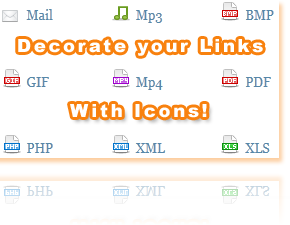
Hyperlink-IconsCascading Style Sheet is the heart of designers and with latest web technology such as CSS3, designing has become even more interesting. Thanks to CSS3 attribute value selectors, now you can style any file extension or tag.
I am using CSS3 attribute selector property in this tutorial to add Icons to hyperlinks.Previously we had to use JavaScript to add an icon next to the hyperlink on your blogger blog or website but now you can do it easily using CSS3. The icon will depend upon the type of file extension. If your link is pointing to a mp3 file then it will add a music symbol next to the link and so on. See the demo which shows 13 file format links,
Live Demo
Read More !

Design a Professional Looking "About Us" Page


Giving a mature and professional look to your "About Us" webpage should be amongst your first priorities. Visitors have the right to know who you are and what you do and where you belong. Your About Us page is your Identity page where you add a little bio of your self and then explain the purpose of your blog or website. It's the most important page for both your regular visitors and advertisers. So Make sure you leave a good impression on them by presenting your self well. Just an hour ago I designed my personal "About Me" Page and I hope the tutorial today will make sense once you see this new proposed design,

Live Demo

Read More !

Hide Label Tags and Author Name In Blogger Posts


HIDE-LABELS-AND-AUTHORThere are some pages like your contact page, about page, table of contents page where you don't want label tags or "Posted by Author at xyz time"  text to appear.  You can view any of my page in the navigation menu above and you will observe that you see no tags or author names below post titles.

How To Hide Label Tags On Selected Pages Of Blogger?

  1. Go To Blogger > Design > Edit HTML
  2. Backup your template
  3. Check the "Expand Widget Templates" box
  4. Search For,
Read More !

Remove deactivated Profiles from your Facebook friend list


Remove deactivated Facebook profiles
Facebook might be the largest social network in action today, but it isn't without its flaws. A lot of changes made by Facebook seem to cause problems for the users, especially the ones made in 2012. First, the Timeline, then the ticker and the ability of friends to add you to groups without permission. Then there's this problem regarding deactivated and deleted profiles in your friend list. Since the changes made, people started to notice old profiles (and new) that had been deactivated in their friends list. Now this isn't a problem, but it sure clutters up your list and inflates your number of friends. You can easily find and delete these profiles from your list and clear up things.
Read More !

SPEEDUP YOUR COMPUTER (Part2)


SPEEDUPI shared 6 Tips N Tricks earlier on PART1 of this post, the remaining TNT are shared here.
7.   Always cleanup your Windows Registry
The Windows Registry is a directory which stores settings and options for the operating system you use. Every software or program that you install is registered in this directory. A Windows Registry is just like a map for an operating system. When ever you open a program ,your computer contacts the Windows Registry, which provides it with all the information about that program. A clear and clean map is always easily understood but an unorganized  map will always be confusing. Same is the case with Windows Registry, keeping it clean will allow your computer to better communicate with the Registry and work effectively. All your programs will open with a fraction of second without any delays................ Only........ if you clean your registry daily.
So how do we cleanup the Registry?
Read More !

SPEEDUP YOUR COMPUTER (Part 1)


A slow and lazy computer is no less than an irritating spot to work in. Most of you may have spent hundreds of dollars in the maintenance and optimization of your Desktop computers but in the end hopelessness is what you get. Many softwares have been created to help you boost your computer speed but they too often fail to solve this problem. Today I will share  some tips and tricks [TNT] that will accelerate your computer's performance to 100%. These are not just ordinary tips and tricks that you find in internet but these are the practical ways and most effective ways of boosting up your computer speed. These TNT have made me love my computer and work on it for hours with comfort and fun. I am now in love with my Pentium-3 computer, which now works much faster than Pentium-4  :D
So Lets learn step by step on how to plant this TNT. All the images below are extracted from my blog TECfun 


Read More !

Sunday, 21 October 2012

Create Static HTML Design Of your Blogger Template


This is part 2 of our series "XHTML to HTML" . We have already learned how to turn blogspot's layout into blank HTML page but we have no yet shared how to remove the dynamic XML tags alone leaving behind the stylesheet, scripts and html design. In today's tutorial I will try to share the basic way of understanding a websites core structure by identifying the important div sections that make up the structure. I hope you have followed part one of the series and have downloaded your blogspot template. I also assume you have Dreamweaver orCodelobster installed on your desktop computers or laptops.

Live Demo
Read More !

Archive Calendar Widget For Blogger - 2 Themes


archive calendar
You guys needed more tutorials? There we go with yet another unique and interesting hack for blogger Archive Widget. You can see at our sidebar area that the default BlogSpot archive widget is transformed into a Wordpress Type Archive calendar with custom styles and flavors. The easy script and stylesheet today will enable you all to create a calendar archive gadget for your blogs using MBT's custom style sheets for Dark and Light backgrounds. The script is coded by phydeaux3  and redesigned by MBT with custom colors and more easy installation. The plugin has been made compatible and easy to implement. Just follow the basic steps below.


Install Archive calendar on your Blog

  1. Go To Blogger > Layout
  2. Chose Blog Archive widget which is available in Blogger's default widget directory. Switch to next page in the directory to find it.
Read More !